Your race engineer for Le Mans Ultimate.
RaceCraft is an AI race engineer and driving coach for Le Mans Ultimate (LMU). It reads the game while you drive and puts it to work: a dashboard on any screen, an engineer on the radio, the strategy for every stint and a plan to find the next tenth.

An AI race engineer on the radio.
Ask out loud, in your own words, and it answers with the numbers. It also speaks up on its own when it matters: fuel, gaps, flags, the pit window.
- Natural voices in English and Spanish.
- Push to talk with a key or a button on your wheel, or always listening.
- AI that runs on your PC. Speech recognition and voices work on your computer: what you say isn't sent anywhere.
- You choose what it calls out, one by one.
LMU telemetry: see where the time goes.
Every lap you drive is recorded with its telemetry. Put it against your best, your record or the fastest rival, and see the corners where it's won and lost.


Race strategy that keeps up.
Fuel, virtual energy, tyres and damage, worked out from your own laps. RaceCraft tells you when to stop, and why.
- Stops to the flag and the fastest way to do them.
- Where you rejoin if you pit now, and who passes you.
- Your rivals' tyres, estimated from how long their stints have been.
- Box now, soon or stay out, with the reasons.

A driving coach for every track.
Like a driving coach, RaceCraft reads your pedals corner by corner and turns it into a few drills: what to change, where, and how to practise it. Each one checks itself as you lap.
Your pace placed against the community's reference times by Ohne Speed.
More about the driving coach
LMU setups from your own laps.
Tell it what the car does, or let it read the data. It proposes the clicks, explains each one in plain words and saves a new setup. Your setups are never overwritten.

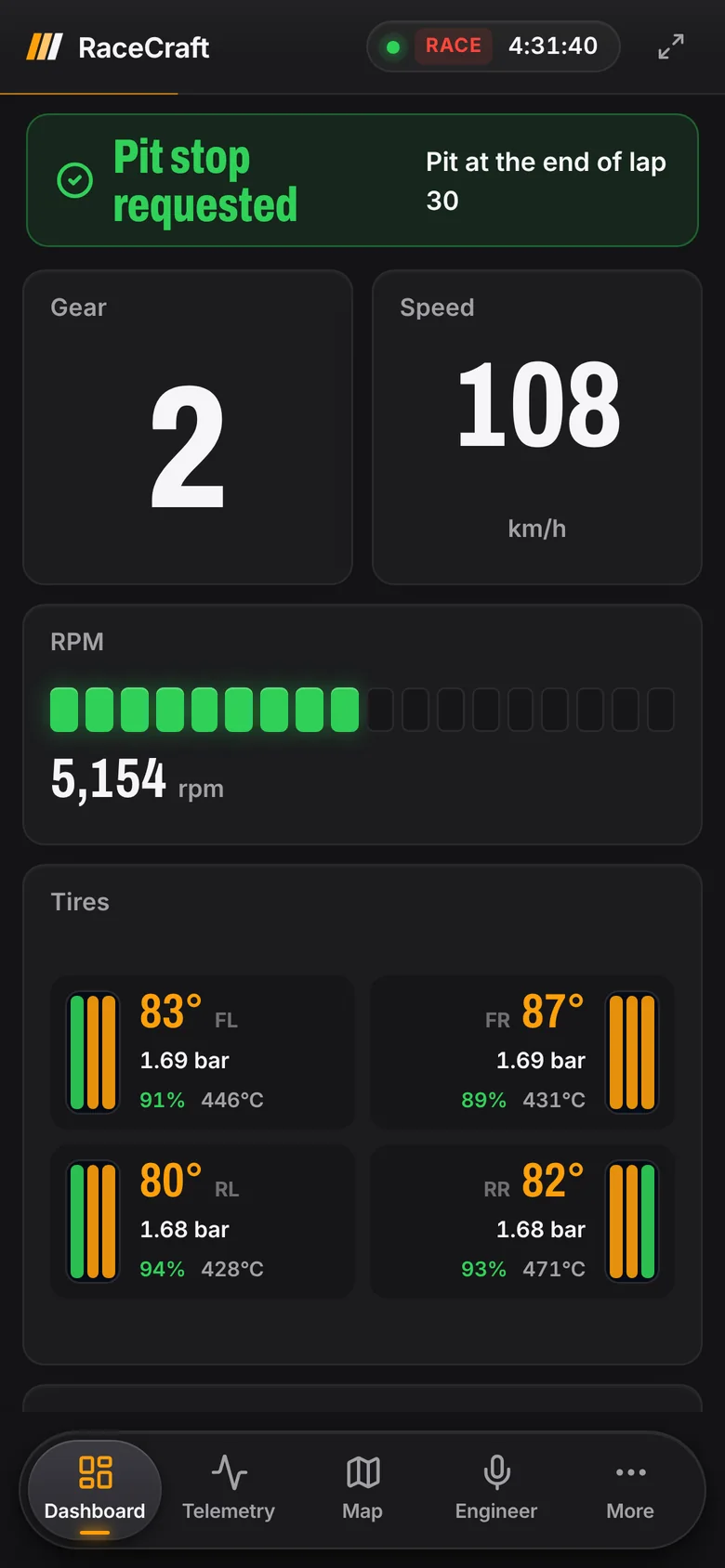
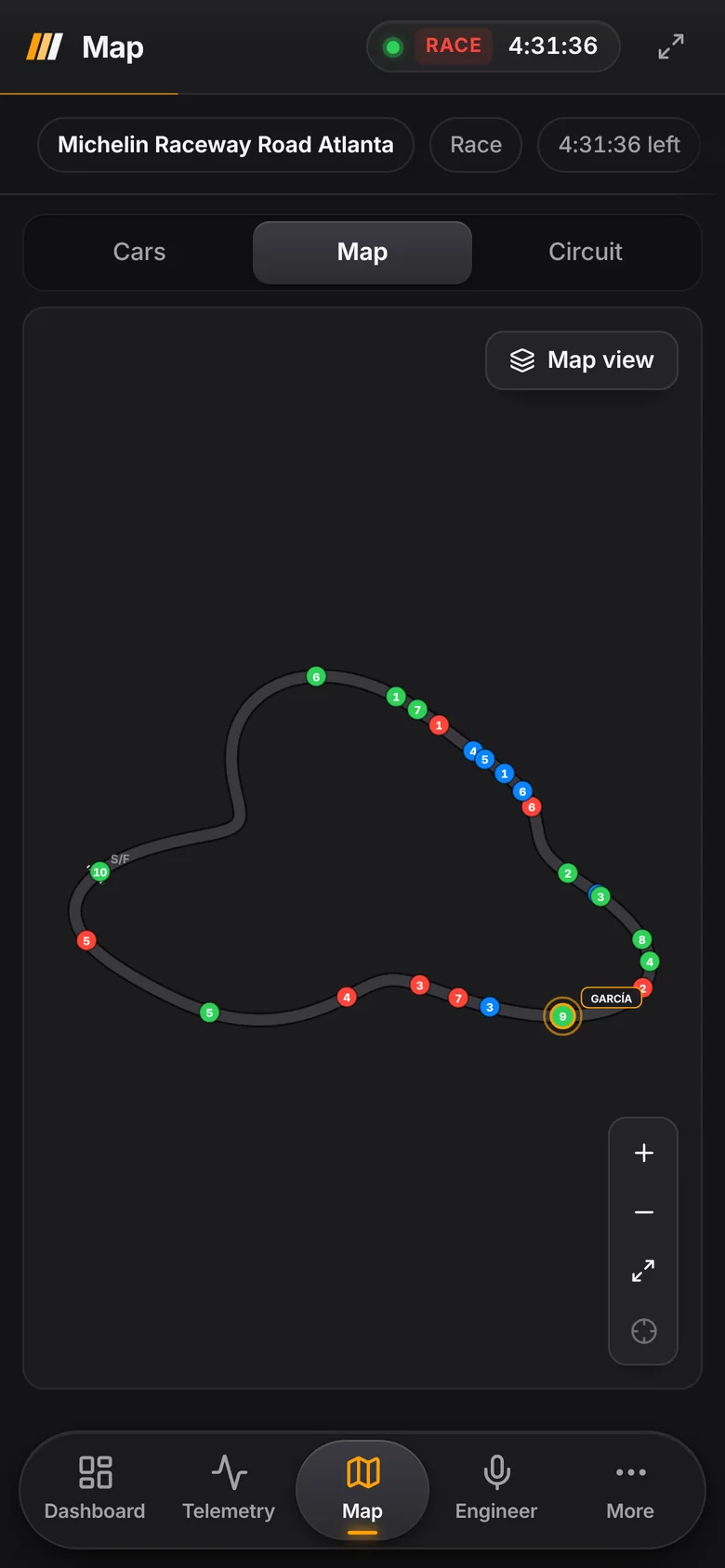
Your phone becomes a pit board.
Scan the code in RaceCraft and the dashboard, the map or the strategy open on your phone or tablet, on the same Wi-Fi, while the PC runs the game.
An overlay on top of the game.
Your widgets and the engineer's radio over Le Mans Ultimate, where you want them. Arrange them in the game and pin the ones you want while you drive.
With the game in borderless or windowed mode.
How RaceCraft works.
Install
Download the installer and open it. No admin rights needed, nothing to configure.
Open Le Mans Ultimate
RaceCraft finds the game by itself and connects as soon as you go on track.
Drive
Everything fills in as you lap: your laps, the strategy, the plan. Updates arrive by themselves.
Built to stay out of the way.
Nothing injected
It reads the data the game shares and its local API. No mods, nothing inside the game.
Your setups are safe
It saves new setup files and never overwrites one of yours.
Signed updates
Every update is signed, and it asks first. Never in the middle of a session.
Your laps stay on your PC
Laps, telemetry, setups and settings are stored on your computer.
RaceCraft questions.
What is RaceCraft?
Is the race engineer AI?
Is RaceCraft free?
What do I need?
Does it change anything in the game?
Can I use it with a single screen?
Will it work with other sims?
Does it work in VR?
Which languages does it speak?
How do updates work?
Where do the reference times come from?
Tell us what to build next.
Ideas, bugs, a widget you miss. Every message is read.
Follow the build.
Previews, new versions and what's coming next, first on X.
 RaceCraft@RaceCraftApp
Get RaceCraft for Le Mans Ultimate.
Free for Windows. It finds Le Mans Ultimate by itself.
BetaRaceCraft is still in beta. Le Mans Ultimate comes first, and we want to bring it to more sims soon.
Windows 10 and 11